
Document Control
Every Drawing at the Right Revision, in One Register
House your engineering drawings and documents in one controlled register — revisions, transmittals, redlines and the drawing index included — so the field builds to the issued revision, not to whichever file was emailed last.
One Register. Current Revisions. A Record You Can Prove.
Every drawing and document lives in one register with its sheets, discipline, type, and client, contractor and vendor numbers. Start from a North American oil & gas, ISO 19650 or simple construction template, with numbering such as project–discipline–type–sequence applied automatically.
Book a Call with an Engineer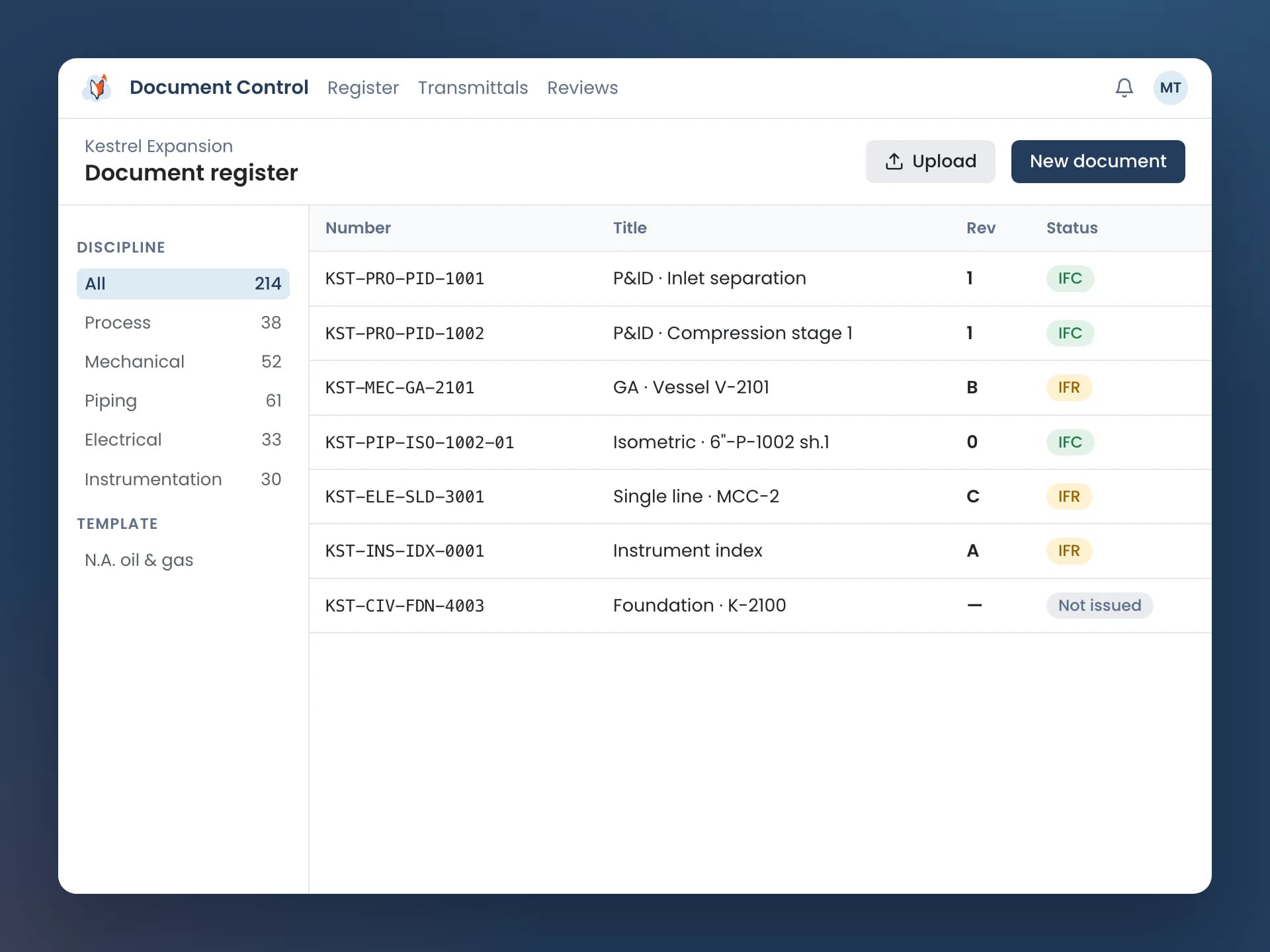
Simplified illustration of the foxlogik interface. Names and figures are sample data.
Lettered revisions through review, numbered from Issued for Construction onward. Superseded sheets are stamped as such, and a side-by-side or overlay compare shows exactly what changed between two revisions.
Book a Call with an Engineer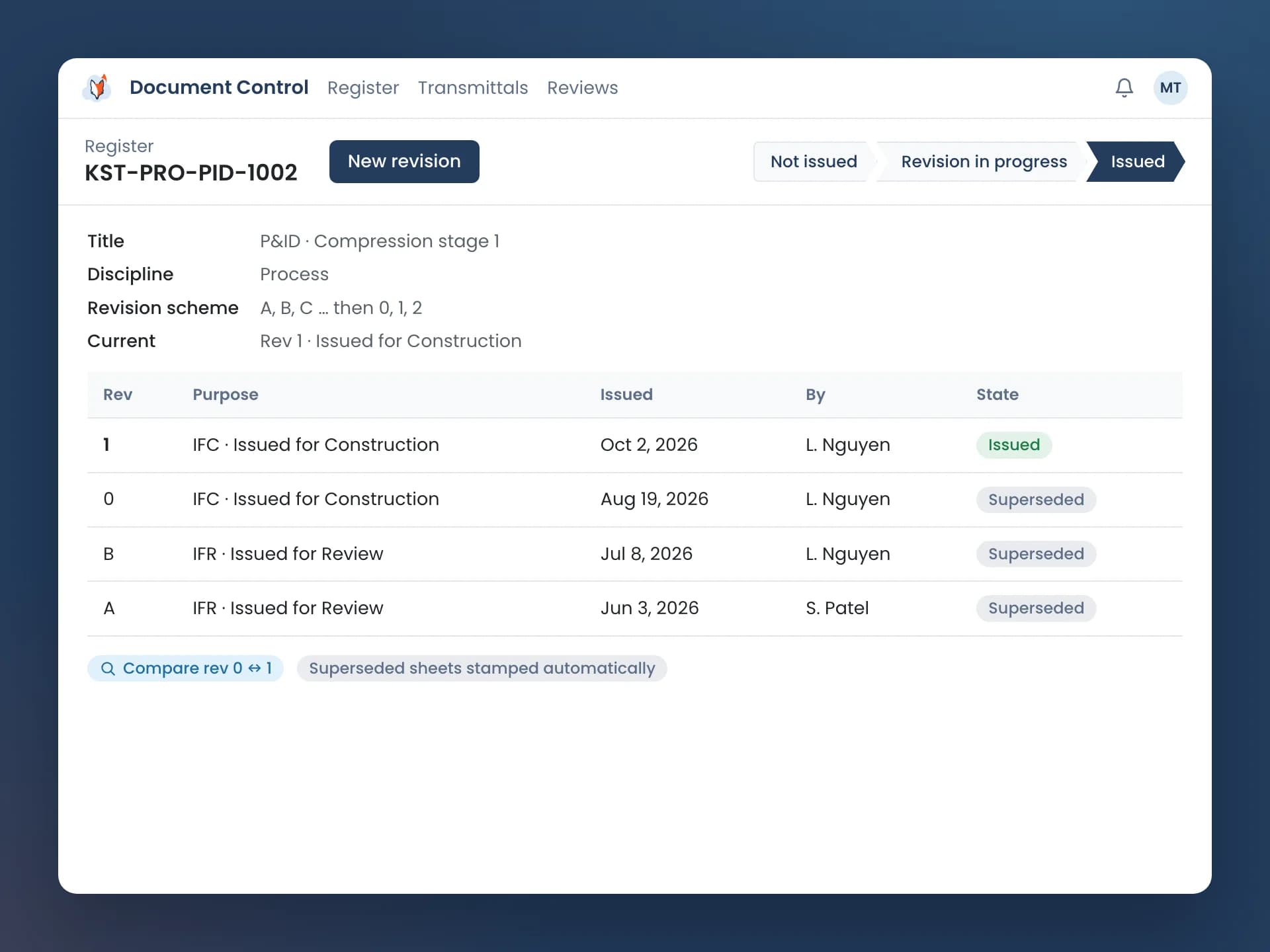
Simplified illustration of the foxlogik interface. Names and figures are sample data.
Issue revisions for review, approval or construction on a transmittal with a cover sheet and distribution list. Outside reviewers open a secure link on any device — no account needed — and return review codes. Acknowledgements and overdue returns are tracked for you.
Book a Call with an Engineer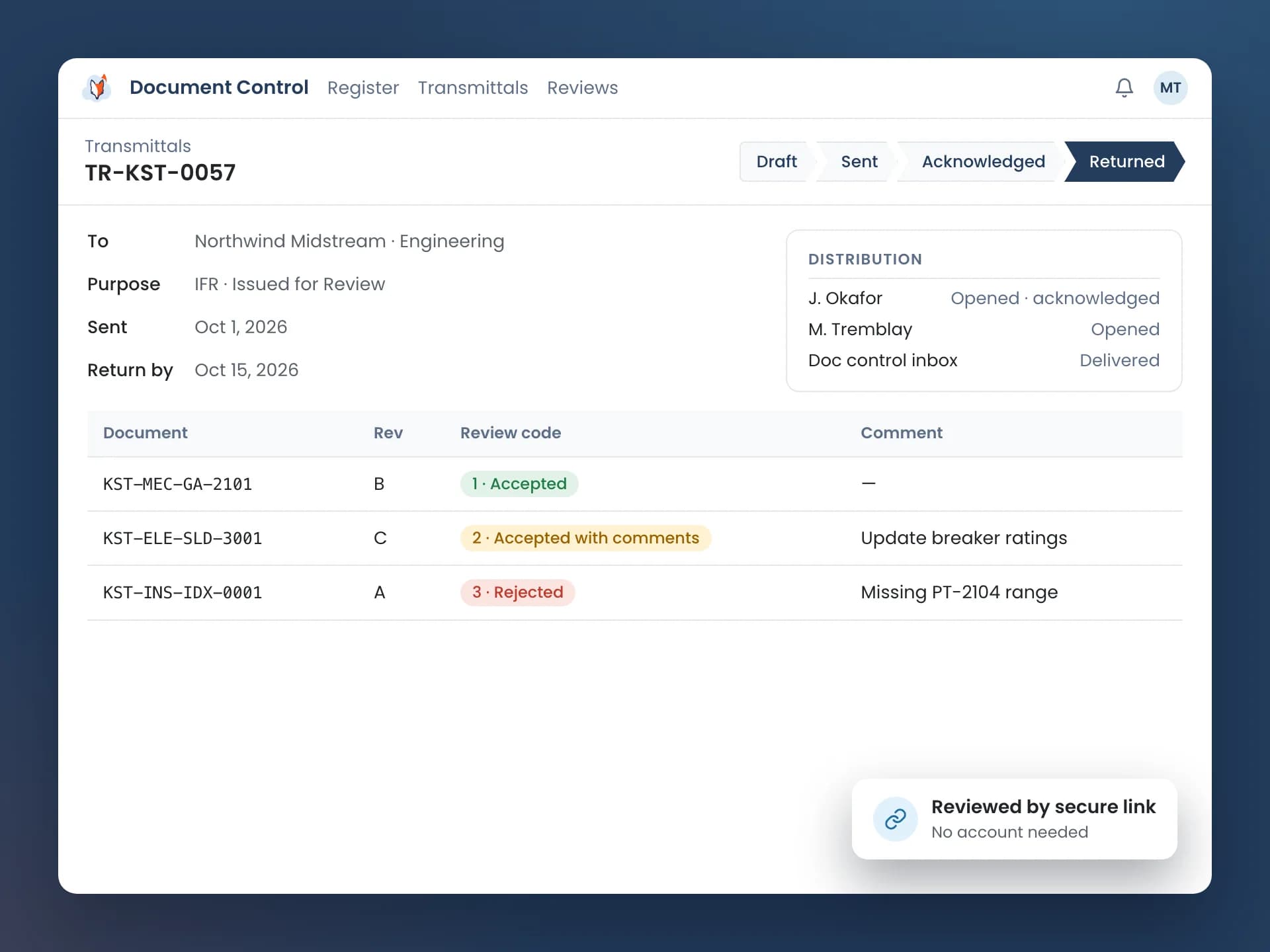
Simplified illustration of the foxlogik interface. Names and figures are sample data.
Clouds, callouts, revision triangles, stamps and locked signatures directly on the PDF, with live multi-user editing and a markups list for comments and status. Open markups carry forward to the next revision, and markups import and export with Bluebeam Revu and Acrobat.
Book a Call with an Engineer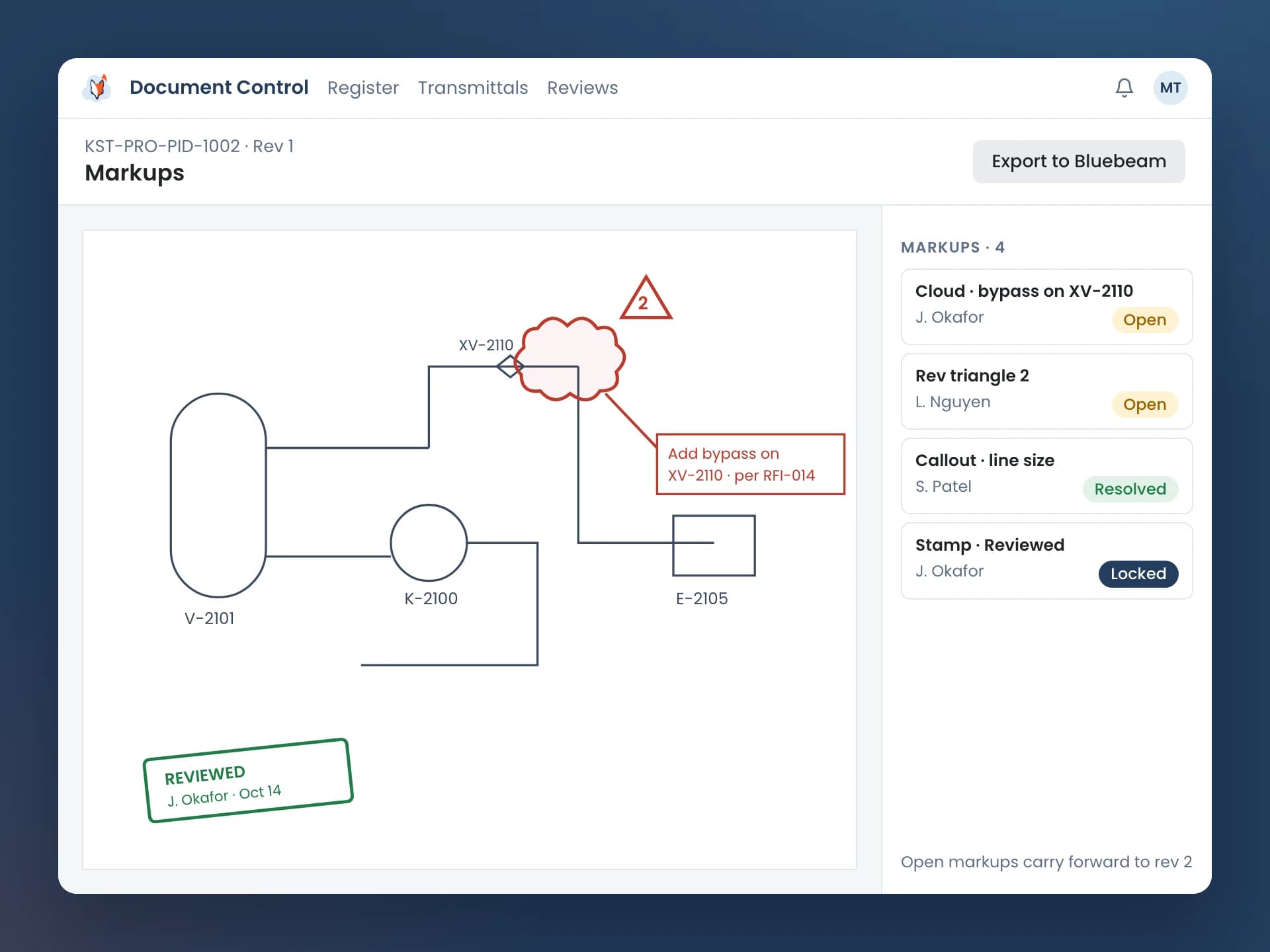
Simplified illustration of the foxlogik interface. Names and figures are sample data.
Produce the drawing index and document register as PDF or Excel at any time — number, title, revision, purpose, status, issue date and sheet count, grouped the way your client wants it. At close-out, export the register with the current file of every document.
Book a Call with an Engineer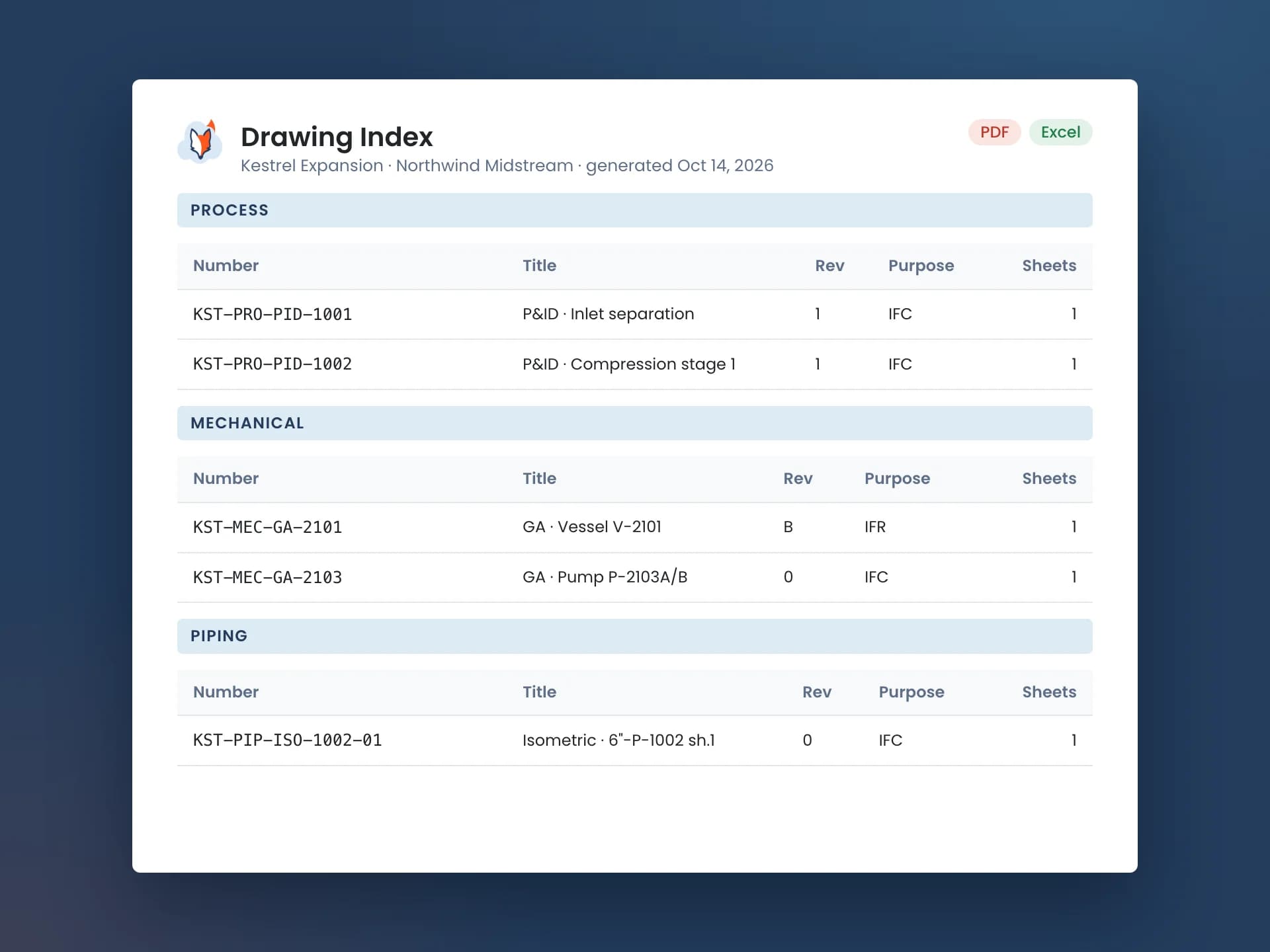
Simplified illustration of the foxlogik interface. Names and figures are sample data.
Drop in a full drawing set. AI splits it into sheets, reads each title block and flags low-confidence values for review before anything is published — and learns from each correction for the next set from that client.
Book a Call with an Engineer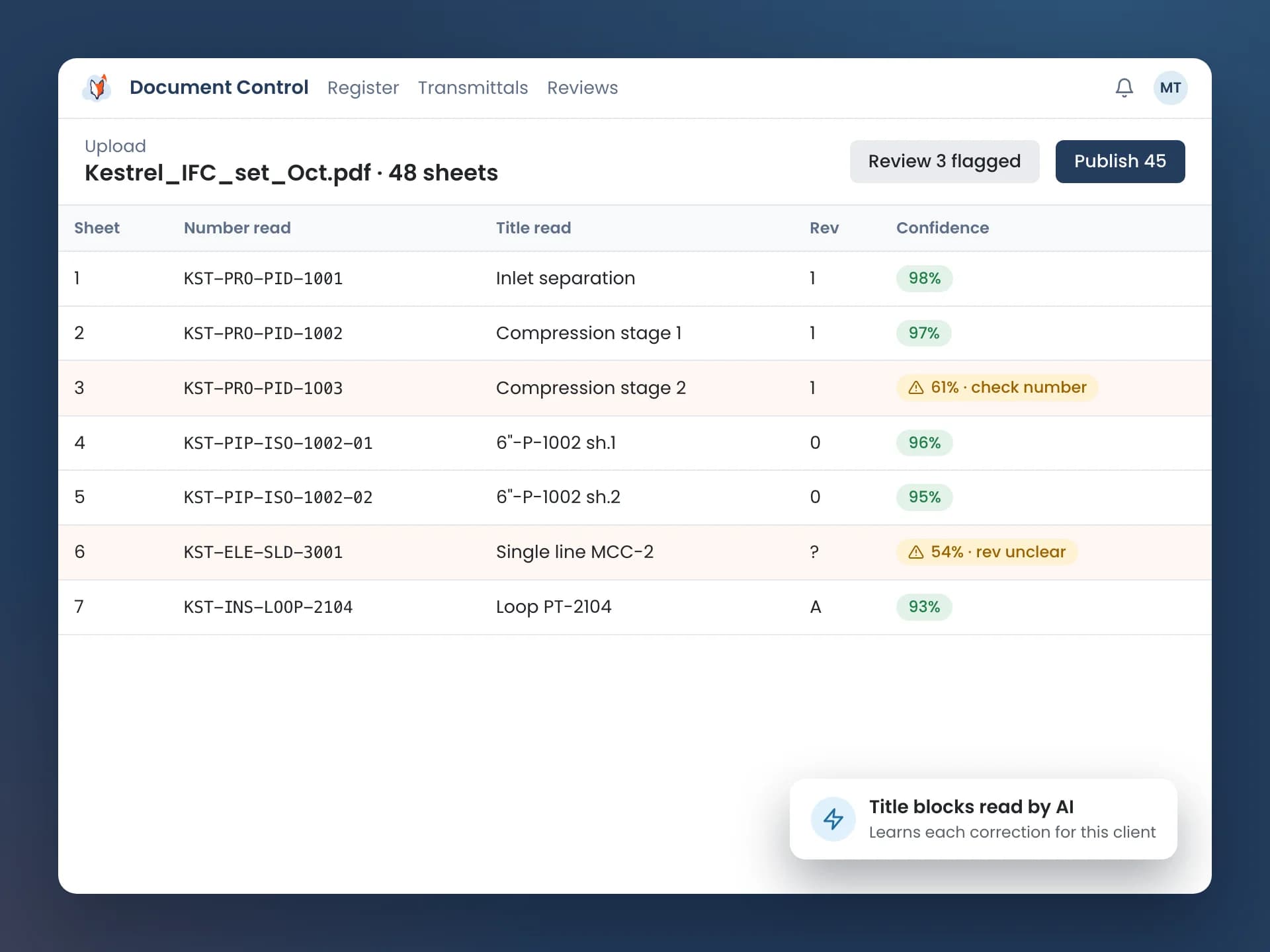
Simplified illustration of the foxlogik interface. Names and figures are sample data.
Full-text search across drawing content in English or French, with references like “SEE DWG P-1002” turned into links to the current revision. Nightly register health checks flag title blocks that disagree with the register, skipped revisions and superseded sheets still out on a transmittal.
Book a Call with an Engineer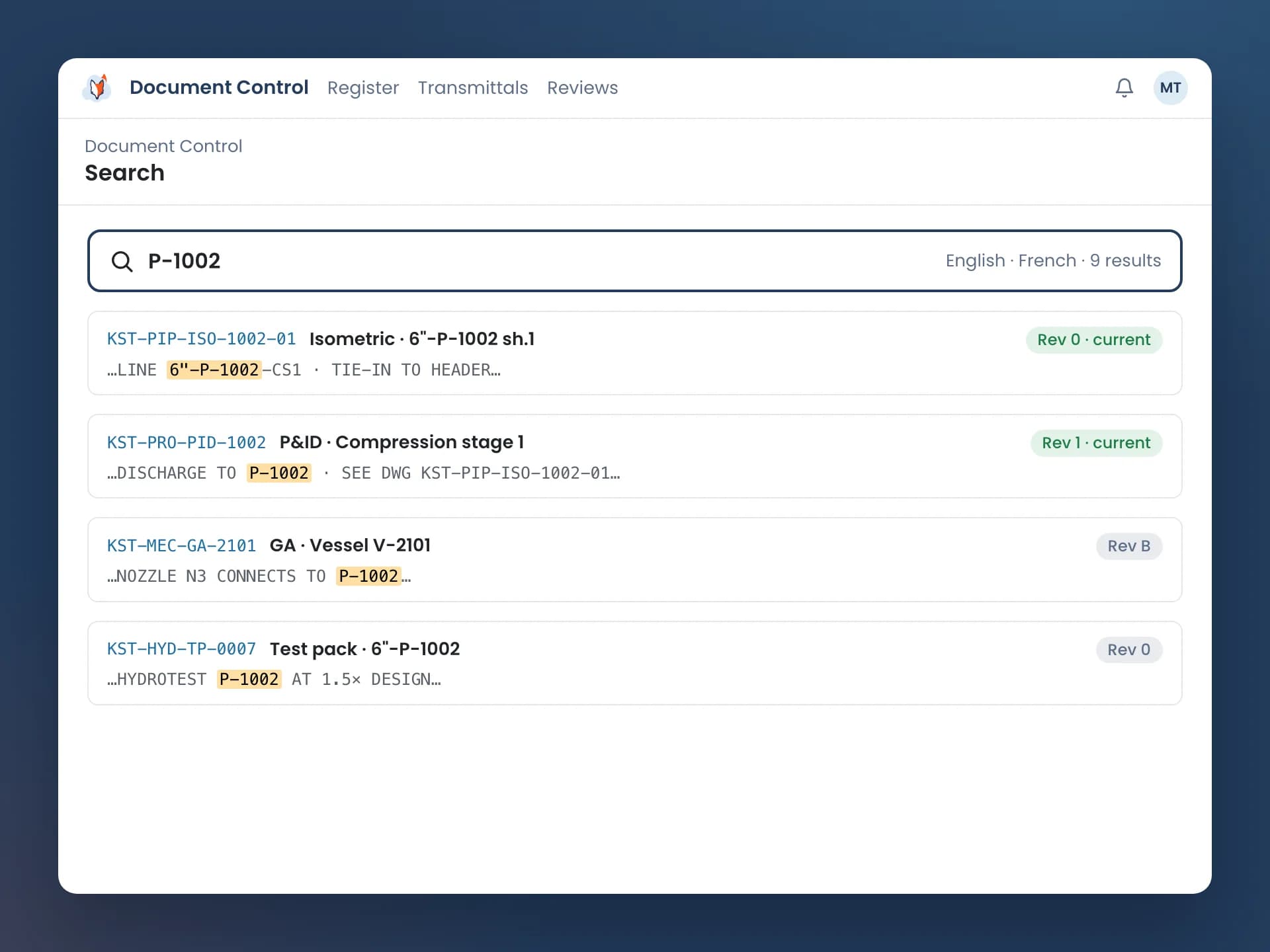
Simplified illustration of the foxlogik interface. Names and figures are sample data.
Issued files are archived write-once with a digital fingerprint, and the archive is checked every night — in foxlogik-managed storage or your own cloud bucket. Every view and download is logged.
Book a Call with an Engineer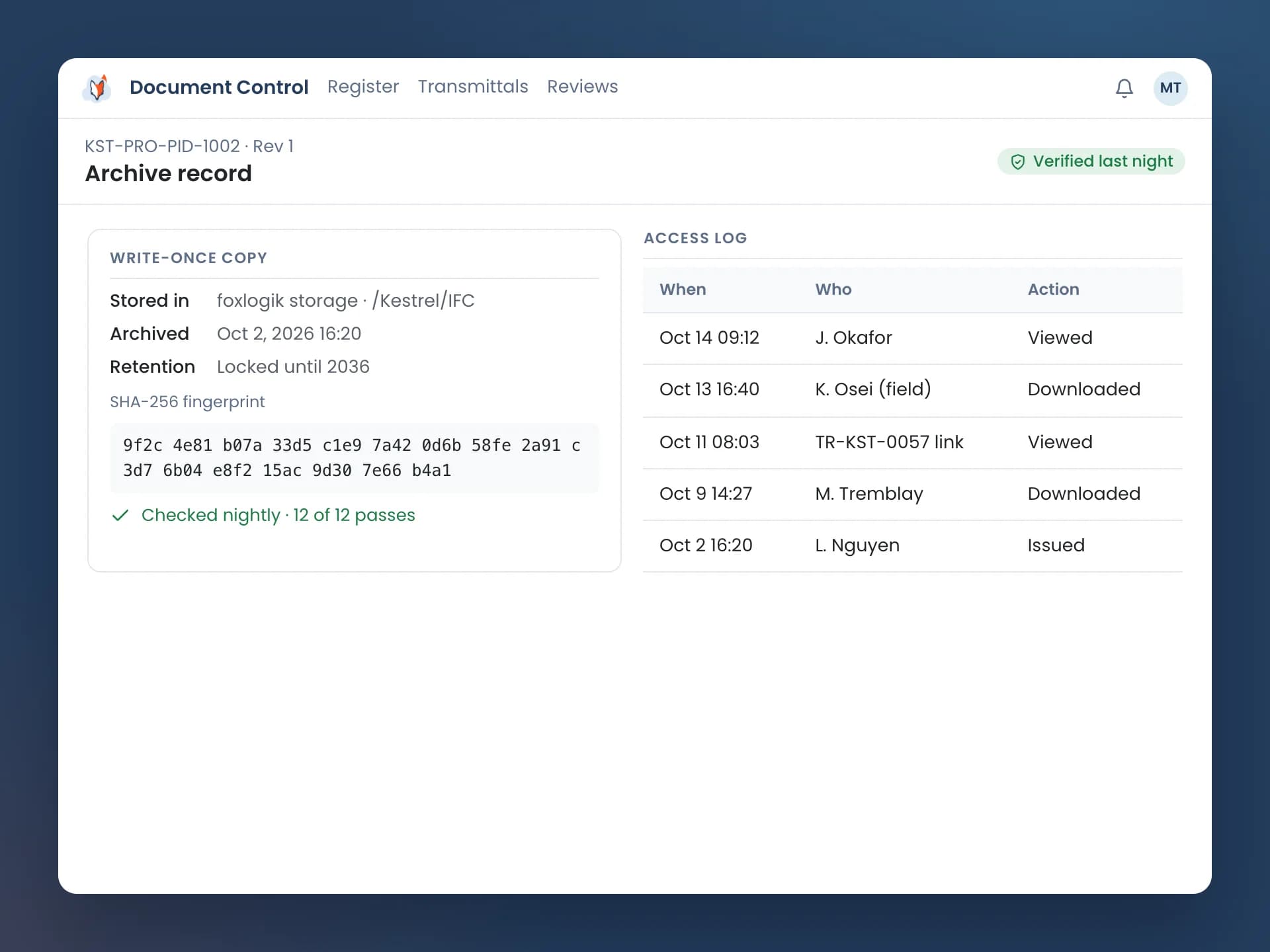
Simplified illustration of the foxlogik interface. Names and figures are sample data.
Link documents to tag registers, VDRs, RFIs and change notices, pin P&ID tags on the drawing, and assemble turnover dossiers per system with as-builts, signed checksheets and certificates — issued as controlled documents themselves.
Book a Call with an Engineer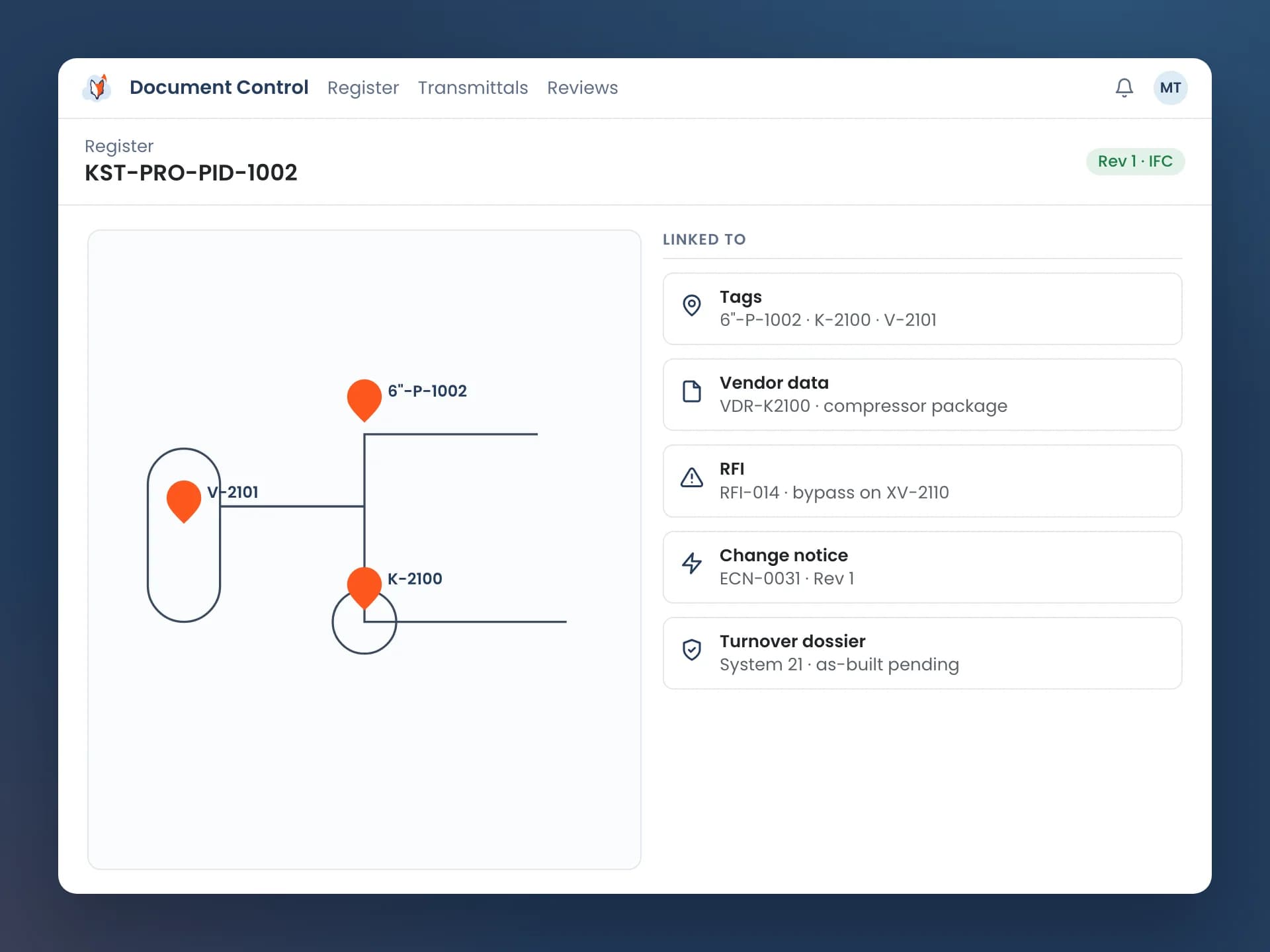
Simplified illustration of the foxlogik interface. Names and figures are sample data.
Next step
Is the field building to the issued revision?
Let's review your drawing register, transmittals and redlines.
- 25 minutes, no slide deck
- Run by an engineer, not a sales rep
- We find out how we can help